The System Finally Stopped Fighting Me
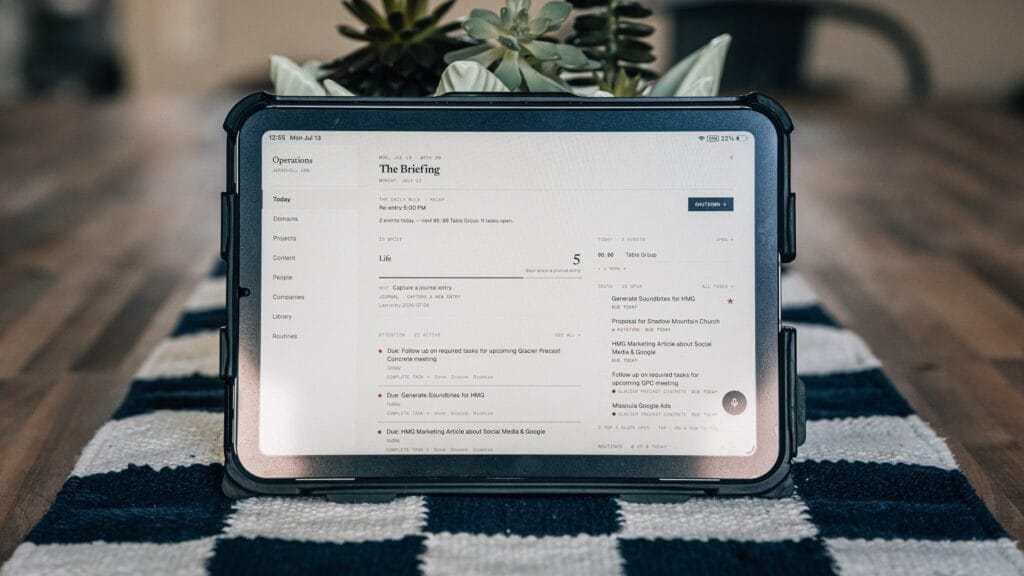
How I manage projects and tasks in the dashboard I built with Claude Code
I spent years searching for the perfect tool. I tried most of them. I even built my own systems before this one, and they ended up so complicated that I stopped using them. That’s the part nobody warns you about when you build for yourself: you can engineer your way right back into the same problem you were trying to escape.
The problem was never really the tools. The problem was that things kept falling through the cracks, and every tool I tried asked me to work the way it was designed instead of the way I actually think.
I run a digital marketing agency. I create on multiple YouTube channels (1, 2, 3). I have online courses, client retainers, a family, a home, and a truck my teen drives with over 200,000 miles on it that needs its oil checked. Some of these things need my attention daily. Others only need to be touched every few months. A paper journal couldn’t hold all of it. Notion could hold all of it, but the elaborate systems I built there became so heavy that getting information back out was harder than putting it in.
So when I built my own dashboard with Claude Code, I wasn’t trying to build a better task manager. I was trying to build something that fits how my life actually works. This week’s video walks through how I manage projects and tasks inside it. Here I want to share the thinking behind a few of the decisions, because the decisions matter more than the features.
Capture has to be effortless or it doesn’t happen
The first problem I had to solve was getting things out of my head and into the system with as little friction as possible. If capture takes effort, I’ll tell myself I’ll remember it. I won’t.
I always have my Apple Watch on me, so I built a shortcut that lets me speak a task into my wrist. The audio gets transcribed, then parsed by AI into an actual task with a due date, time, and reminder. There’s a microphone in the app itself that does the same thing. There’s a keyboard shortcut on my computer that works like Spotlight. And if I don’t want to use AI at all, I can just type a task in manually.
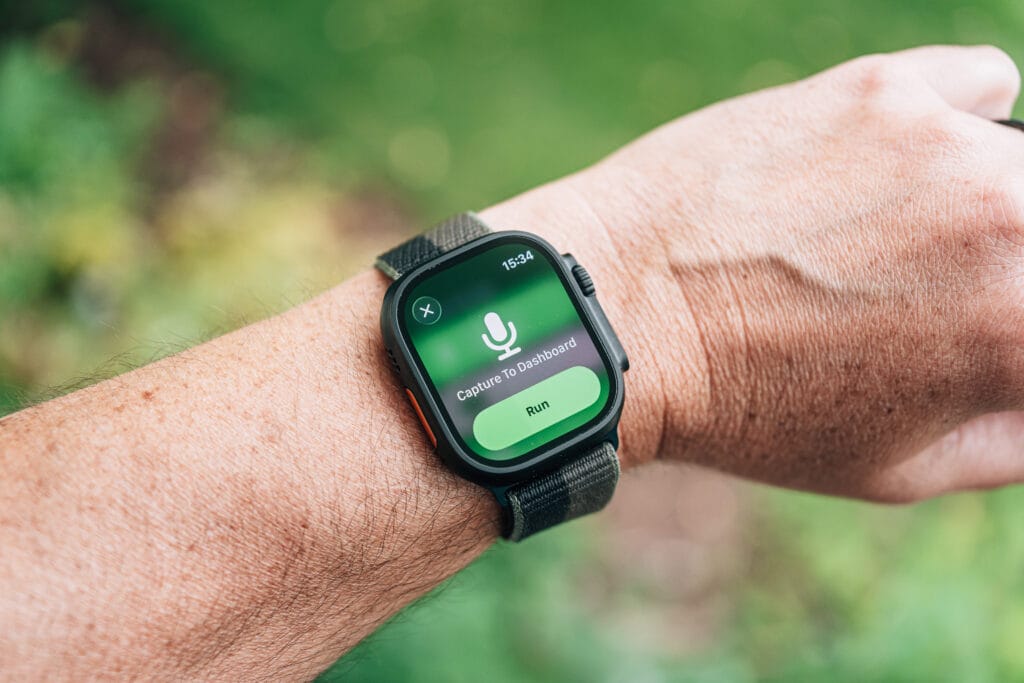
Is the AI parsing perfect? No. Sometimes it assigns a task to the wrong project and I spend ten seconds fixing it. I’m fine with that trade. A system that captures 100% of what I throw at it and gets the details right 90% of the time beats a system I avoid opening.
The newest capture method is my favorite: I can forward a client email to a special address, put “new task” in the subject line, and the system reads the email, summarizes it, creates the task, and links back to the original email thread in Gmail. All the context I need, in one place, without me copying and pasting anything.
An inbox is for processing, not for storage
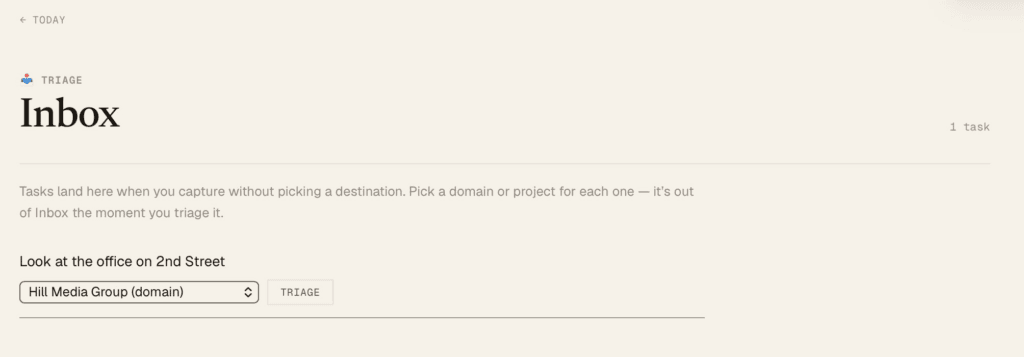
Here’s a small distinction that changed how I think about task managers. In most tools, the inbox becomes the junk drawer. Tasks that don’t fit a project just live there forever, and eventually you stop looking at it because looking at it feels like an accusation.
In my system, the inbox is only for things that haven’t been processed yet. If I capture a task and don’t assign it to a project or a domain of my life, it sits in the inbox and my Today page tells me there’s something waiting. It takes less than a minute to triage. Then the inbox is empty again. The inbox is a doorway, not a room.
Not everything is a project, and not every project ends
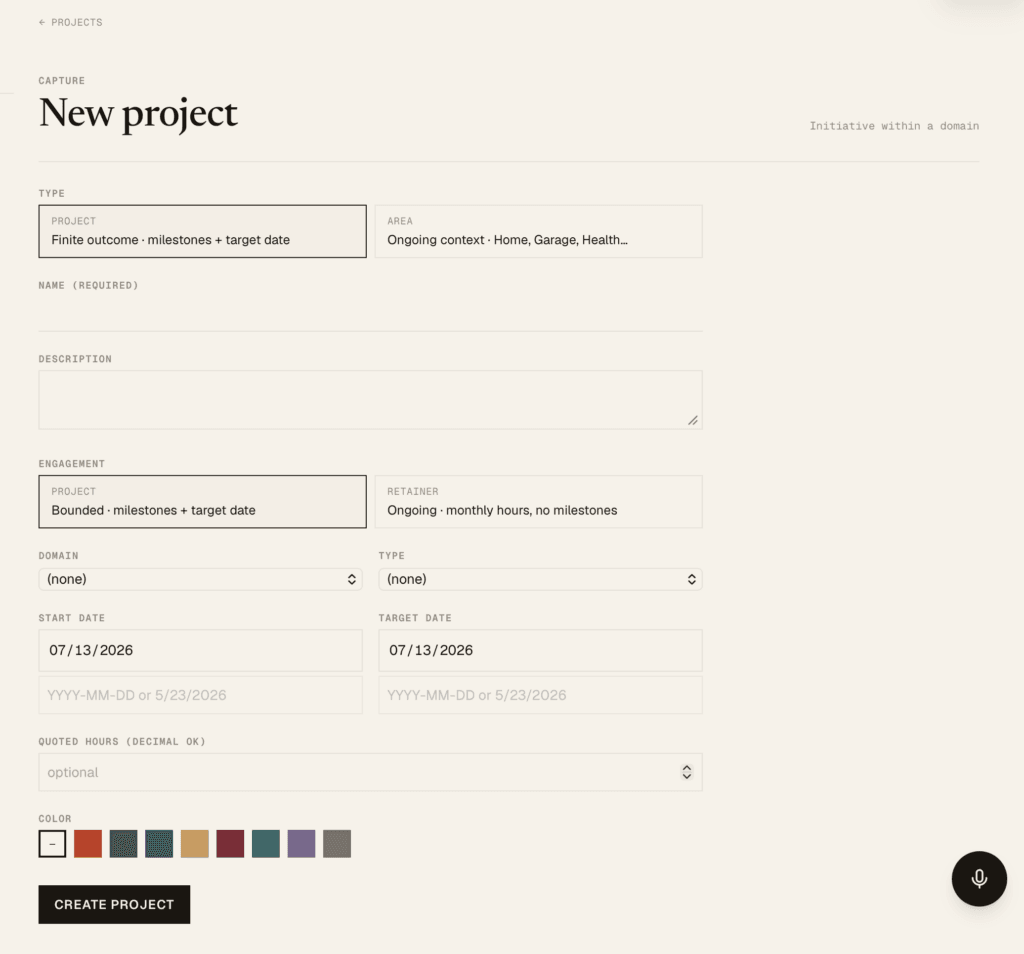
Standard project managers assume every project has a finish line. Mine don’t. Some of my client work is exactly that: a website build with milestones and a launch date. But a lot of my work is ongoing. Monthly retainers. Recurring deliverables. Areas of life like home, health, and family that never “complete.”
So I built for both. A project can be bound by a target date, or it can be ongoing and measured in monthly hours. Time tracking is built in, which matters more than I expected. I have a long history of spending more time on client work than I quoted and just eating the difference. Now I can see the hours this month, last month, and all time. When a retainer client adds scope, I have the record to bill for it instead of quietly absorbing it. That’s not about squeezing clients. It’s about stewarding my time honestly instead of pretending the overage didn’t happen.
Routines are not tasks, and streaks don’t lie
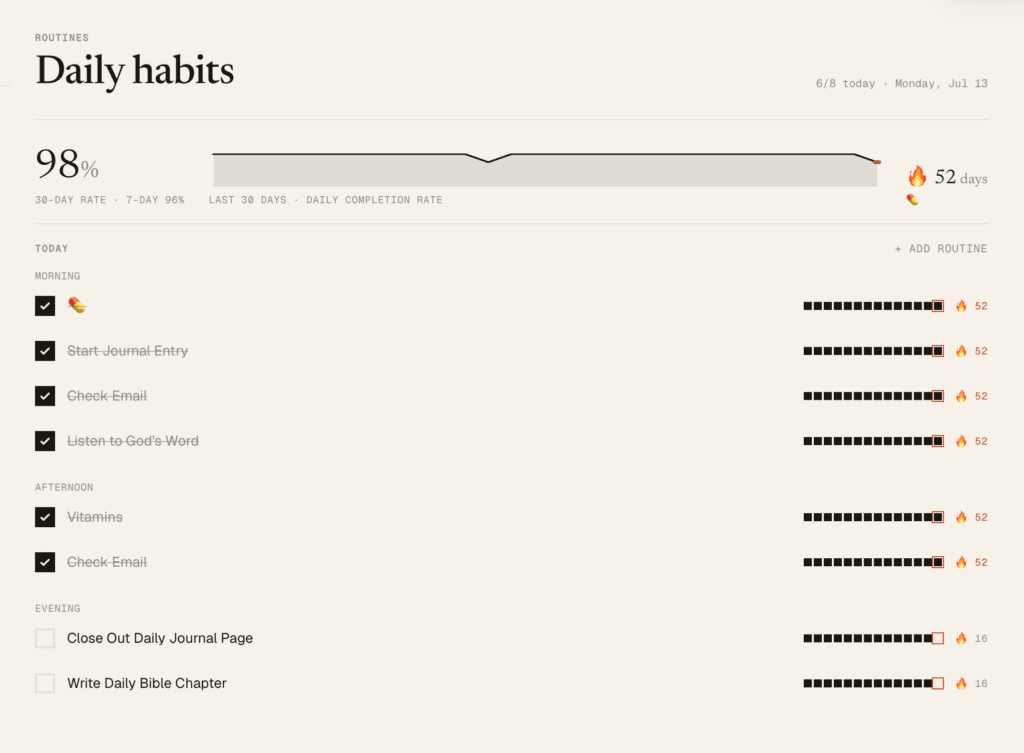
Taking my vitamins, opening my journal in the morning, closing it out at night. These aren’t tasks. They’re rhythms. Checking a recurring to-do box every day for them felt wrong, so I built a routines section with streaks instead.
And here’s the design decision I’m most stubborn about: there is no way to go back and check off yesterday. I built it that way on purpose, because I know myself. If I could backfill a missed day, I would. It’s just too tempting to protect the streak instead of telling the truth. So if I forget, the streak resets to zero and I start again. The number is only worth something if it’s honest. This is a feature I like but am not totally in love with, so it may change in the near future.
The Attention Engine: nothing falls through the cracks
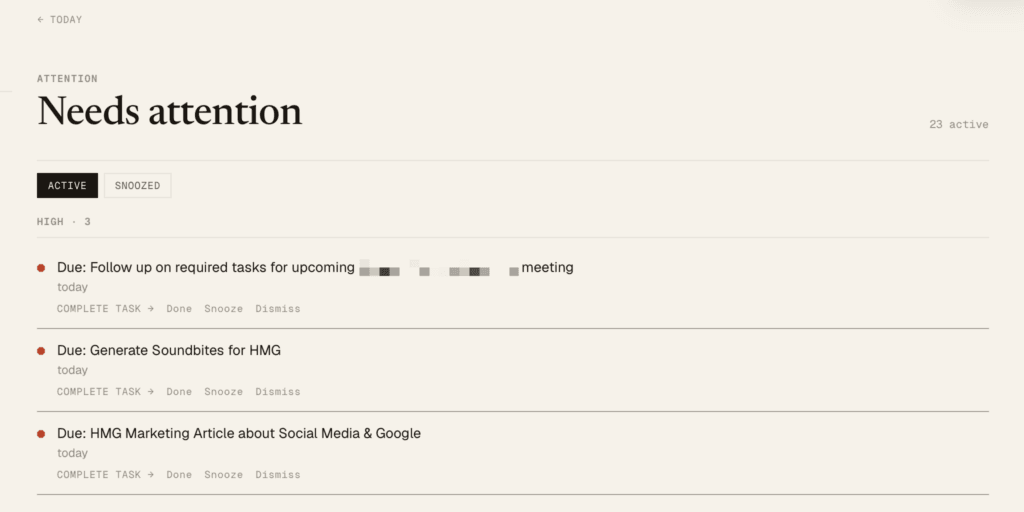
This is the part I’m most excited about, and it’s the part I’ve never found in another tool. Traditional task managers remind you when something is due and then just count how overdue it gets. That’s not attention. That’s a scoreboard of guilt that ends with me stuck.
What I wanted was closer to an assistant. Something watching across the whole system and surfacing what needs me: a client I haven’t logged a conversation with in too long, a review coming due, a domain of my life that hasn’t seen an update, a routine that’s slipping, a birthday or anniversary coming up. My Today page has become a daily briefing. I open it and I know what matters right now, not just what has a red date next to it.
It still needs tuning. Right now it shows me reviews two weeks out, which is too far. But that’s the point of building your own system. When it doesn’t serve you, you change it.
If you want to build your own
I’ve made the complete spec document for this project available for free on Substack. Paid members also get access to the GitHub repo for the whole thing.
But I’ll tell you what I tell everyone: don’t just copy my system. Take the spec and the code, drop them into a Claude chat, and tell it how you work. This dashboard fits me because it was built around the way I think. The real value isn’t my features. It’s the fact that you no longer have to bend your life around someone else’s software.
Watch the full walkthrough: Click Here
And as always, if you build something with this, comment and tell me about it. I read every one.
— Jerad